
The best business website design in Tasmania combines professional presentation, search visibility, mobile performance and clear pathways that turn visitors into customers. Choosing the right designer means finding a provider who understands your business goals, can demonstrate relevant experience and delivers a website you can manage, measure and improve.
Whether you operate a trades business in Devonport, a professional services firm in Hobart, a retail store in Launceston or a tourism business on Tasmania’s North West Coast, your website should do more than look attractive.
It should help potential customers find you, understand your services, trust your business and take the next step.
Unfortunately, not every website delivers these outcomes. Slow pages, confusing navigation, inadequate search engine optimisation (SEO) and poorly designed contact forms can limit the value of even an expensive website.
This guide explains what to look for when choosing a Tasmanian web designer, how to compare website proposals, which technical standards matter, and how to protect your investment.
You’ll also find a practical 100-point website designer comparison scorecard, a launch checklist and guidance on measuring results after your website goes live.
What Makes a Good Business Website?
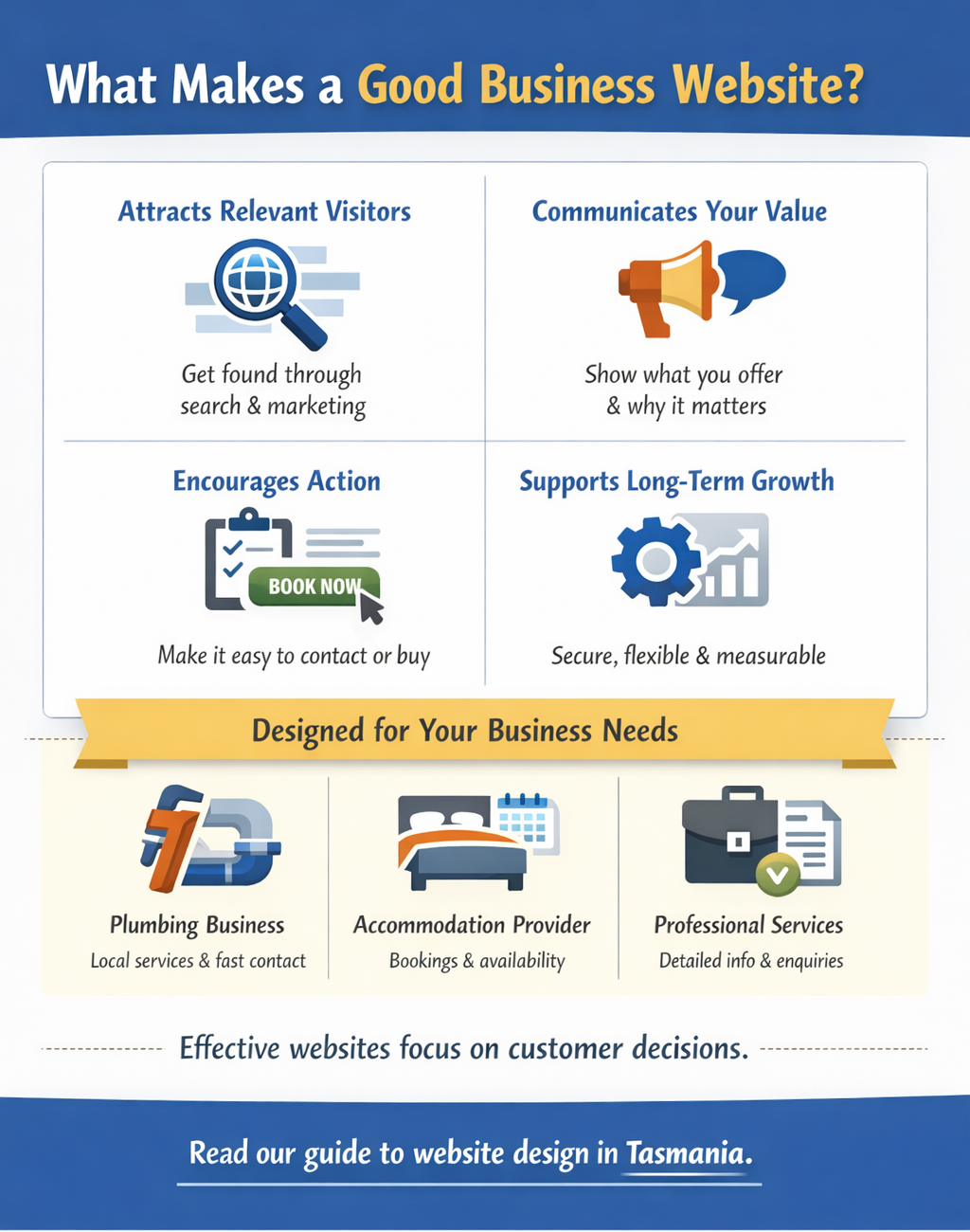
A successful business website does four things:
- Attracts relevant visitors: Makes your business discoverable through appropriate search terms, referrals and marketing channels.
- Communicates your value: Explains what you offer, who you serve and why customers should consider you.
- Encourages action: Makes it straightforward to request a quote, book an appointment, make a purchase or contact your business.
- Supports long-term growth: Remains secure, maintainable, measurable and adaptable as your requirements change.
The emphasis should be on genuine business outcomes rather than appearance alone.
For example, a Tasmanian plumbing business needs customers to identify its services, confirm its service area and make contact quickly.
An accommodation provider may need booking functionality, appealing photography and clear availability information.
A professional services firm may require detailed service explanations, credentials, case studies and confidential enquiry options.
Each business needs a website designed around its customers’ decisions.
If you’re exploring the wider role of design and search visibility, read our guide to website design in Tasmania.
Why Website Design Matters for Tasmanian Businesses
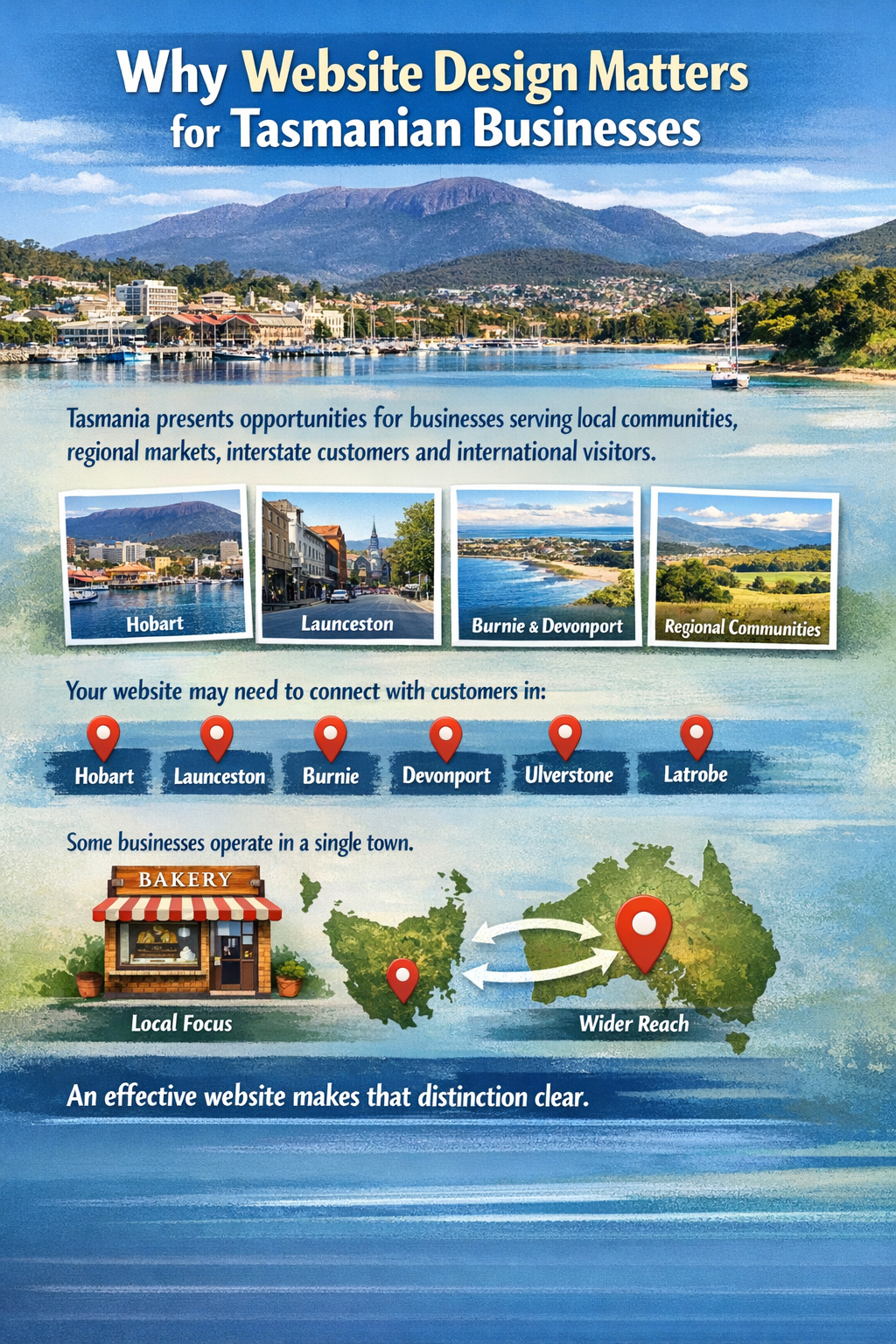
Tasmania presents opportunities for businesses serving local communities, regional markets, interstate customers and international visitors.
Your website may need to connect with customers in Hobart, Launceston, Burnie, Devonport, Ulverstone, Latrobe or smaller regional communities.
Some businesses operate in a single town. Others serve customers throughout Tasmania or across Australia.
An effective website makes that distinction clear.
Your website is often part of the customer’s first impression
Potential customers may encounter your business through Google Search, a referral, social media or an online business directory.
When they visit your website, they usually want answers to practical questions:
- Does this business provide what I need?
- Does it service my location?
- Can I trust its experience and reputation?
- How much information is available about the service?
- What should I do next?
A professional website helps answer these questions without unnecessary friction.
Local competition makes clarity important
Businesses don’t compete only on design quality.
Customers compare services, reputation, convenience, availability, communication and price.
A website that explains these factors clearly can help potential customers make better-informed decisions.
The objective isn’t to include more information than every competitor. It’s to provide the information your customers actually need in a structure they can understand.
1. Choose a Designer Who Understands Your Business Goals
Before discussing page layouts and colour schemes, a website designer should establish what your business needs to achieve.
This includes understanding your customers, services, geographic market and existing marketing channels.
Define your primary website objective
| Business objective | Website requirement | What to measure |
|---|---|---|
| Generate leads | Service pages and enquiry forms | Qualified enquiries |
| Increase bookings | Clear booking process | Confirmed appointments |
| Sell products | E-commerce and secure checkout | Sales and conversion rate |
| Attract local customers | Relevant service and location information | Local search traffic and enquiries |
| Establish credibility | Business information, credentials and examples | Relevant engagement and enquiry quality |
Start with one primary commercial goal.
For a trades business, that may be qualified quote requests. For a retailer, it may be completed orders.
Secondary goals can include improved customer information, reduced administration or stronger brand awareness.
Ask how the design will support your goals
A capable designer should explain how specific choices contribute to the intended result.
For example:
- A prominent phone link helps mobile visitors contact a service business.
- A clear service page answers questions before someone requests a quote.
- A streamlined booking form reduces unnecessary steps.
- Relevant case studies help customers evaluate previous work.
These are practical decisions, not simply aesthetic preferences.
To understand the relationship between website structure and customer enquiries, see our guide to business website enquiry generation.
2. Make Sure SEO Is Included From the Beginning
Search engine optimisation should influence website planning rather than being treated as an optional finishing touch.
However, not every website package includes the same level of SEO work.
Some designers provide basic page titles and metadata. Others undertake keyword research, content planning, technical optimisation and ongoing search performance analysis.
Before accepting a proposal, ask exactly what is included.
Essential SEO foundations
A search-friendly website should have:
- Descriptive, unique page titles.
- Clear main headings and logical subheadings.
- Useful service pages written around customer needs.
- Readable, descriptive URLs.
- Contextual links between related pages.
- Appropriate image alternative text.
- Correct canonical and indexing settings.
- An XML sitemap where appropriate.
- Suitable structured data reflecting visible content.
- A plan for preserving or redirecting existing URLs during a redesign.
It should also provide clear navigation that helps customers and search engines discover important content.
These fundamentals create a foundation for ongoing SEO, although they do not guarantee a particular ranking.
Understand the difference between SEO setup and ongoing SEO
A website build may include one-time technical optimisation.
Ongoing SEO is a broader activity that can involve monitoring search performance, improving existing pages, developing useful content and earning relevant external references.
Ask whether the quote covers:
Initial SEO setup: Page structure, technical configuration and launch checks.
Ongoing SEO services: Monitoring, reporting, content improvements and continued optimisation.
Make sure any continuing service is priced and described separately.
Google’s SEO Starter Guide provides useful background on how search engines discover and interpret website content.
3. Prioritise Local SEO for the Areas You Actually Serve
Local SEO helps businesses become more relevant to customers searching for products and services in particular geographic areas.
For Tasmanian businesses, this may involve one or several locations.
A business based in West Ulverstone might serve customers across the North West Coast. A Hobart-based professional services business may work with customers throughout Tasmania.
The website should represent these service areas accurately.
What should local SEO include?
Accurate business details
Display the correct business name, phone number and other relevant contact information.
Clear service-area information
Explain where your business operates and whether customers visit your premises, you travel to them, or services are delivered remotely.
Relevant local content
Write useful information that reflects the needs of customers in your actual market.
Google Business Profile
For eligible businesses, a properly maintained profile can support visibility through Google Search and Maps.
Appropriate structured data
Relevant schema can help search engines interpret business information, although it does not guarantee rich results or local rankings.
Genuine reputation signals
Customer feedback, industry recognition and relevant local relationships can help potential customers assess credibility.
Do you need a separate page for every Tasmanian town?
Usually not.
A service business covering Devonport, Latrobe, Ulverstone and Port Sorell does not automatically need four nearly identical pages.
A well-written service-area page may be more appropriate.
Create dedicated location pages when they provide substantial, distinct information that genuinely helps customers in those areas.
Avoid replacing town names in otherwise identical content merely to target additional keywords.
Good local SEO should reflect real operations—not manufacture geographic relevance.
4. Demand Mobile-Friendly Design and Measurable Performance
Your website needs to work reliably across phones, tablets and desktop computers.
A responsive layout is important, but a website can display correctly on a phone while still being difficult to use.
Slow images, awkward menus, small buttons and lengthy forms can frustrate customers.
Mobile-first design principles
A strong mobile experience should include:
- Readable text without zooming.
- Navigation that is easy to understand.
- Appropriately sized buttons and links.
- Clear calls to action.
- Optimised images.
- Minimal unnecessary animations.
- Forms designed for mobile use.
- Important information that is easy to locate.
For a deeper explanation of design and technical considerations, read our mobile-first business website design guide.
Understand Core Web Vitals
Google’s Core Web Vitals provide measurable indicators of website experience.
| Metric | What it measures | Good threshold |
|---|---|---|
| Largest Contentful Paint (LCP) | Loading of the main content | 2.5 seconds or less |
| Interaction to Next Paint (INP) | Responsiveness to interactions | 200 milliseconds or less |
| Cumulative Layout Shift (CLS) | Unexpected movement of page elements | 0.1 or less |
These thresholds are assessed using real-user data where available.
They should be considered alongside usability, functionality and the needs of the website.
Ask your designer to explain the performance testing included in the project.
You can independently test individual pages using Google PageSpeed Insights.
A strong performance score is useful, but it does not replace testing whether customers can successfully navigate, contact or purchase from your business.
5. Look for Conversion-Focused Website Design
A website with good search visibility still needs to turn relevant visits into meaningful actions.
This is where conversion-focused design becomes important.
Conversion optimisation is the process of reducing obstacles that prevent visitors from taking the next step.
What should a conversion-focused page include?
Clear messaging
Visitors should quickly understand what your business offers and who it serves.
Relevant calls to action
Buttons should match the customer’s intention, such as “Request a Quote”, “Book an Appointment” or “Check Availability”.
Trust signals
Relevant credentials, genuine testimonials, project examples and clear business information help customers evaluate your services.
Simple enquiry paths
Forms should request the information necessary to respond effectively without creating unnecessary difficulty.
Useful service information
Explain what’s included, who the service suits and what customers can expect.
Example: A Tasmanian trades business
Imagine two websites offering the same plumbing services.
The first has a large introductory image, a vague headline and a phone number hidden near the footer.
The second clearly identifies its services and operating area, offers a visible call button and explains how customers request assistance.
The second design makes an enquiry easier.
That doesn’t guarantee more business, but it removes common obstacles from the customer journey.
Measure the outcome
If a website receives 500 relevant visits and generates 10 enquiries, its enquiry conversion rate is 2%.
If improvements result in 15 enquiries from the same traffic, the rate becomes 3%.
This is a hypothetical illustration, not a prediction of results.
It demonstrates why design quality should be measured through customer actions rather than appearance alone.
6. Compare Website Platforms, Ownership and Flexibility
The technology supporting your website affects how it can be maintained, extended and transferred.
There is no universally best platform.
Choose according to your requirements.
| Approach | Advantages | Considerations |
|---|---|---|
| Managed website builder | Simple administration and integrated hosting | Platform limitations and export restrictions |
| Self-hosted WordPress | Flexible, extensible and greater infrastructure control | Hosting, updates and security require management |
| Custom development | Tailored functionality and integrations | Can involve greater development and maintenance costs |
Ask who controls the important assets
Before signing an agreement, establish who controls:
- Your business domain.
- Domain registration and DNS.
- Website hosting.
- Website content and original imagery.
- Administrative accounts.
- Analytics and Search Console properties.
- Customer enquiry information.
- Relevant software licences.
- Backups and restoration processes.
Ownership terms depend on the contract and platform. Do not assume that paying for a website automatically transfers every underlying licence, code component or design asset.
Plan for a possible future migration
Ask what happens if you want to move the website to another provider.
Can you export the content?
Can your domain be transferred?
Will you receive administrative access and suitable documentation?
Are there exit fees or proprietary dependencies?
These questions help protect your business from unnecessary vendor lock-in.
7. Understand Website Design Costs Before Choosing a Package
The price of a business website depends on the work required.
A straightforward service website usually involves less development than a customised online store or a booking platform integrated with other business systems.
The initial quote is only part of the cost.
Common website cost components
| Cost component | Questions to ask |
|---|---|
| Design and development | How many pages and design revisions are included? |
| Copywriting | Who supplies and prepares the website content? |
| SEO | Is keyword research included or only basic metadata? |
| Hosting | What infrastructure and resources are provided? |
| Maintenance | Who handles updates, security and backups? |
| Integrations | Are booking, payment or CRM systems included? |
| Support | What response arrangements and limits apply? |
| Future changes | What are the charges for additional work? |
One-off development versus monthly website services
A one-off development fee may be suitable for a business with internal resources or an established maintenance provider.
A monthly managed service may suit a business wanting predictable support and ongoing improvements.
Neither model is inherently better.
Consider the total cost over 12 to 24 months, including subscriptions, maintenance, licences and anticipated changes.
A simple website investment calculation
Suppose a hypothetical business spends $5,000 on a new website.
If an additional customer contributes $500 in gross profit, it would take ten genuinely additional customers to recover the initial cost before other expenses.
This isn’t a forecast. It illustrates why business value matters more than the cheapest upfront price.
For high-value services, a relatively small increase in qualified enquiries may be commercially significant.
For lower-margin products, the volume required to justify the same investment could be substantially greater.
A good website proposal should connect its proposed scope to the economics of your business.
8. Review Actual Work, Not Just Agency Promises
When comparing Tasmanian website designers, ask to see completed projects.
A portfolio should show more than attractive desktop screenshots.
Look for clear page structures, mobile usability, service explanations, customer contact options and evidence of technical competence.
Questions to ask about previous projects
- What was the client’s original business objective?
- What problems did the previous website have?
- What was changed during the project?
- How was the website tested?
- Were any improvements measured?
- What did the client receive at handover?
- What maintenance arrangement was established?
Some outcomes may be confidential. A provider should still be able to explain the work performed without inventing statistics.
Examples of VanBlaisa’s website development work
VanBlaisa’s published website design case studies include:
O’Dea Lawyers: Improvements to service organisation, website structure, presentation and customer enquiry pathways.
Awkar & Co: Website rebuilding with an emphasis on service architecture, mobile usability and search-friendly foundations.
NSA Conveyancing: Service-led content organisation, internal linking and clearer pathways to relevant information.
These examples illustrate different aspects of website planning and development.
When assessing any agency’s work, distinguish between implemented features and independently verified commercial outcomes.
A website described as “designed to increase conversions” is not the same as evidence of an actual conversion increase.
9. Use a Website Designer Comparison Scorecard
Choosing a web designer can be difficult when proposals describe different inclusions.
A structured scorecard makes those differences easier to identify.
The following framework is designed for small business buyers. It is an assessment tool, not a guarantee of project quality.
Website Design Proposal Scorecard
| Assessment area | Maximum points |
|---|---|
| Understanding of your business and customer goals | 20 |
| SEO and local search planning | 15 |
| Technical performance and mobile accessibility | 15 |
| Conversion-focused design and measurement | 15 |
| Clear deliverables and transparent pricing | 15 |
| Ownership and transfer arrangements | 10 |
| Ongoing support and maintenance | 10 |
| Total | 100 |
Give each provider a score based on documented evidence.
A clear, relevant commitment should receive more credit than a vague marketing promise.
For example, “responsive design included” is less informative than a commitment to test important pages on agreed devices, correct identified defects and provide documented acceptance criteria.
Compare proposals on the same scope
Ask shortlisted providers to quote against one common project brief.
Include:
- The business purpose and target customers.
- Required pages and functionality.
- Content and SEO responsibilities.
- Important integrations.
- Website access and ownership requirements.
- Testing and handover expectations.
- Ongoing support requirements.
- Any constraints on timing or budget.
This reduces the risk of comparing a basic template build against a much more comprehensive website project.
For further guidance, see our article about choosing the right website design firm.
10. Know What Should Happen During the Website Project
A reliable website project should follow a defined process, even when the finished site is relatively simple.
Discovery and planning
The provider establishes the website’s goals, audience, content requirements and essential functionality.
Expected outcome: An agreed project scope and sitemap.
Design and content preparation
The project establishes page layouts, messaging, navigation, branding and appropriate content.
Expected outcome: Approved design direction and content responsibilities.
Development
The website is built, configured and integrated with relevant systems.
Expected outcome: A functional version ready for review.
Quality assurance
The provider tests mobile layouts, navigation, forms, key integrations and appropriate technical requirements.
Expected outcome: Documented testing and resolution of agreed defects.
Launch and handover
The website is published, essential functions are checked and access arrangements are finalised.
Expected outcome: A functioning website and agreed documentation.
Ongoing support
Where contracted, the provider maintains the website, monitors performance and assists with improvements.
Expected outcome: Clear support responsibilities and service arrangements.
The exact process should fit the project’s size and complexity, rather than introducing unnecessary administration.
11. Website Launch Checklist: What to Verify Before Accepting the Project
A website should be tested before final approval.
Use this checklist to identify common omissions.
Content and design
- Business name, contact information and service details are correct.
- Important pages contain original, useful information.
- Navigation is clear and functional.
- Layouts work on relevant mobile and desktop screens.
- Images are appropriate and display correctly.
- Calls to action lead to the correct destinations.
Technical SEO and performance
- Important pages can be indexed.
- Page titles and meta descriptions are appropriate.
- Canonical settings are correct.
- Existing URLs and necessary redirects have been checked.
- Internal links work and point to relevant content.
- Page performance has been tested.
- Appropriate structured data is valid and not duplicated.
- Analytics and Search Console are configured where included.
Functionality and business operations
- Contact forms deliver submissions successfully.
- Booking or checkout functions work where applicable.
- Phone and email links use the correct details.
- HTTPS is enabled.
- Relevant security and backup arrangements are established.
- Accessibility requirements have been reviewed.
- Administrator access and ownership responsibilities are documented.
Testing should reflect the website’s actual functions.
For example, a business website without e-commerce does not need checkout testing. An online store, however, should not launch without validating its payment and order processes.
12. Measure Website Performance After Launch
Launching a website is the beginning of its operational life.
The next step is determining whether it supports the objectives agreed during planning.
A practical initial review period is approximately 90 days.
First 30 days: Confirm the foundations
Verify that the site is functioning correctly.
Check important pages, forms, tracking, indexing status and mobile usability.
Address any launch defects.
Days 31–60: Review how visitors use the website
Evaluate available data such as:
- Relevant organic search visits.
- Important landing pages.
- Enquiry volume and quality.
- Form and booking completion.
- Website-originated calls.
- Technical performance.
Look for problems that prevent visitors from understanding services or contacting the business.
Days 61–90: Prioritise improvements
Identify which pages and customer journeys warrant attention.
Potential improvements might include clearer service explanations, simpler forms, better calls to action or updated content.
Measure the effect of changes where sufficient data is available.
Search engine visibility may require substantially longer than 90 days to develop, especially for new websites or competitive search terms.
The purpose of this initial period is to establish reliable operation and begin evidence-based improvement—not promise immediate first-page rankings.
Build a Website That Works for Your Tasmanian Business
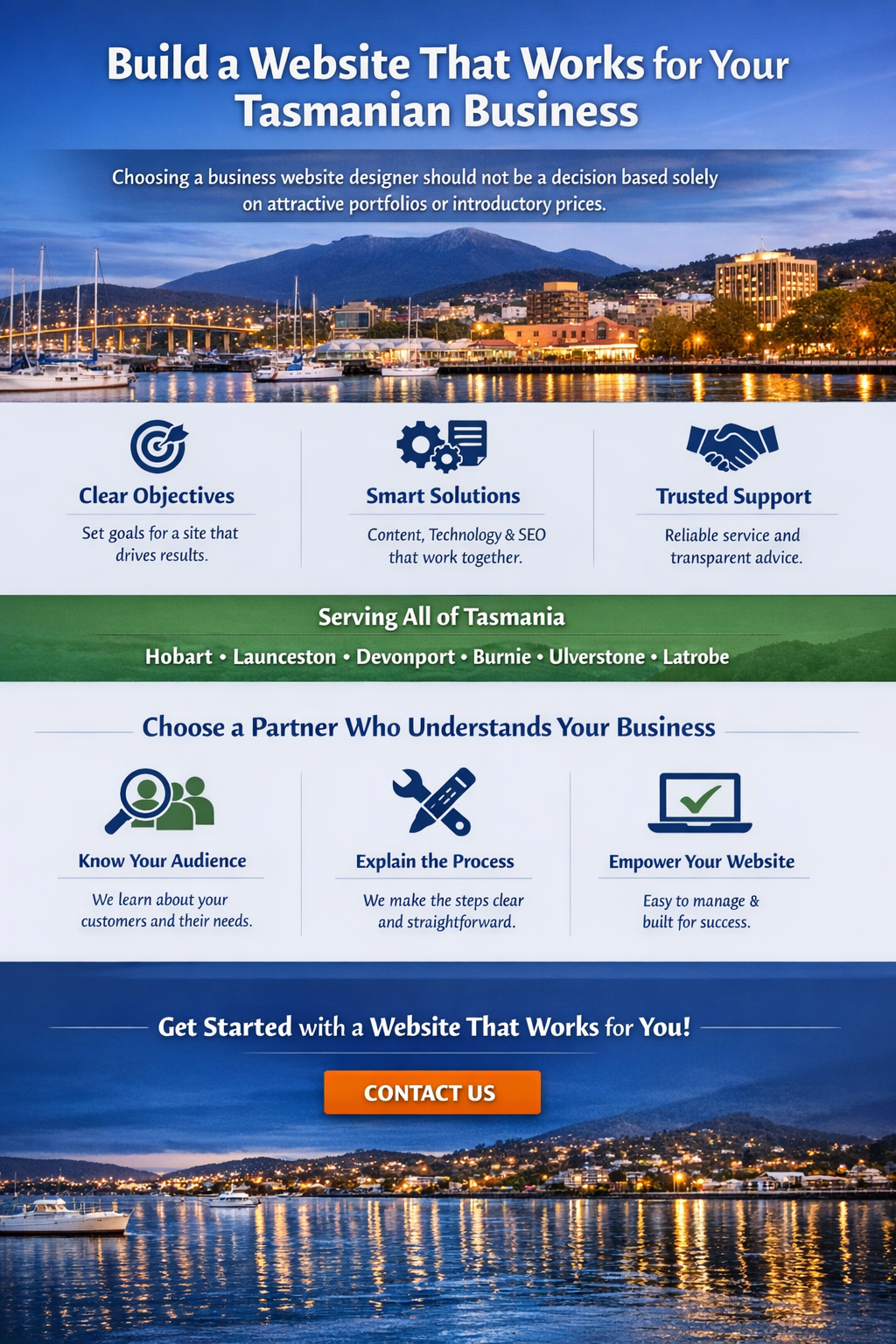
Choosing a business website designer should not be a decision based solely on attractive portfolios or introductory prices.
The strongest website investments begin with clear objectives and combine useful content, reliable technology, appropriate SEO, strong customer experiences and transparent commercial arrangements.
Whether your business operates in Hobart, Launceston, Devonport, Burnie, Ulverstone, Latrobe or elsewhere in Tasmania, the same principles apply.
Choose a provider who understands your customers, explains the work involved and provides a website you can operate with confidence.
Professional Website Design Across Tasmania
VanBlaisa Pty Ltd is an Australian technology and digital services company based in North West Tasmania, providing website design, SEO, digital marketing and website support services.
We help businesses plan and develop websites around relevant customer needs, technical performance, search visibility and meaningful business outcomes.
If you’re planning a new website or considering an upgrade, we can help you assess the requirements and identify a suitable solution.
Explore our services: Website Design Services for Small Businesses
See examples of our work: VanBlaisa Case Studies
Discuss your project: Contact VanBlaisa
Phone: 0498 825 105
Email: admin@vanblaisa.com
VanBlaisa Pty Ltd — Website Design, SEO and Digital Technology. North West Tasmania, Australia.
Frequently Asked Questions About Business Website Design in Tasmania
How much does a small business website cost in Tasmania?
Website design costs depend on the number of pages, design requirements, content, SEO, e-commerce functionality and ongoing support. Request an itemised quote and compare total costs, not simply the initial advertised price.
How long does it take to build a business website?
A straightforward website may take several weeks from an agreed brief to launch. Complex websites can take longer because of custom functionality, integrations, content preparation and approval requirements. Ask for a project-specific timeline.
Is WordPress suitable for Tasmanian small businesses?
Yes. WordPress can be a practical option for many service businesses, content-focused websites and online stores. Its suitability depends on hosting, maintenance, security, integrations and the degree of control required.
Do I need a local Tasmanian website designer?
Not necessarily. Local knowledge can be useful, particularly when geographic relevance matters, but experience, communication, technical competence and contract transparency are more important than physical proximity alone.
Will a professionally designed website rank higher on Google?
Professional design can improve technical SEO, usability and content organisation, but it cannot guarantee improved rankings. Search results depend on relevance, competition, site quality and other factors.
Should I build separate website pages for Hobart, Launceston and Devonport?
Only where separate pages serve genuinely different customer needs. A business covering multiple regions may benefit from clear service-area information, but duplicating nearly identical location pages is not a sound SEO strategy.
What should I own when my website is completed?
The ownership and access rights should be clearly defined in the contract. Important areas include your domain registration, website content, account access, customer data and the ability to move providers. Underlying software and third-party licences may have separate conditions.
Can a website help generate more qualified enquiries?
Yes. Clear service descriptions, relevant search visibility, credible business information and straightforward contact pathways can improve the opportunities for customers to enquire. Results should be evaluated using reliable analytics and actual business outcomes.