
You want a website for your businesHow to Build a Website Without Technical Skills: Step-by-Step Guide
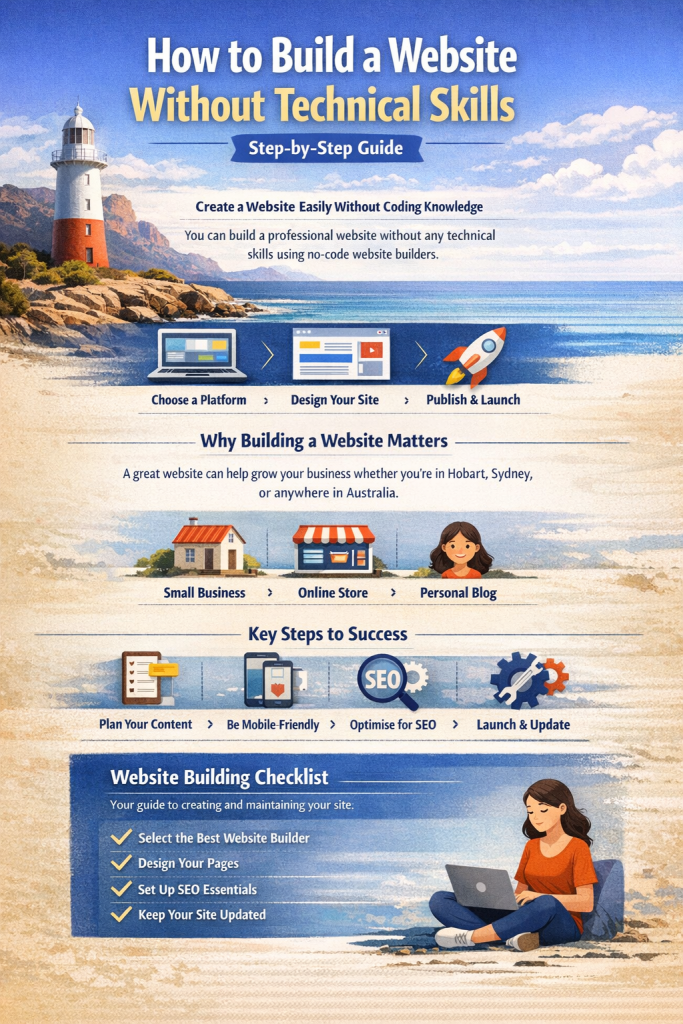
You can build a professional-looking website without knowing how to code. Modern no-code website builders allow beginners to create pages, add photographs, publish content and launch a website using visual editing tools rather than programming languages.
Whether you’re starting a small business in Tasmania, launching an online store or creating a personal website anywhere in Australia, you no longer need to be a web developer to establish an online presence.
However, getting a website online and building one that genuinely helps your business are two different things.
The right approach involves choosing a suitable platform, planning your content, creating a mobile-friendly experience and understanding the fundamentals of search engine optimisation (SEO).

This guide explains how to build a website without technical skills, compares popular website builders, and provides a practical checklist for launching and maintaining your new website.
Key Takeaways
- No coding experience is required: Visual website builders handle much of the technical setup.
- Start with a clear goal: Decide whether you want enquiries, bookings, online sales or simply an online presence.
- Choose your platform carefully: Consider ongoing costs, future features, ownership and flexibility.
- Build for mobile devices: Your website should be easy to navigate on smartphones and desktop computers.
- Include SEO from the beginning: Clear page titles, useful content and appropriate site structure help search engines understand your website.
- Measure results: Track relevant enquiries, bookings or sales rather than judging success by appearance alone.
- Professional help is optional: A DIY website can be effective, although specialist assistance may save time or improve results when requirements become more complex.
What Is a No-Code Website Builder?
A no-code website builder is a platform that allows people to create and manage websites without manually writing HTML, CSS, JavaScript or other programming code.
Instead, users work with a visual interface, selecting layouts, adding sections and editing content directly.
Many platforms provide:
- Pre-designed website templates.
- Visual or drag-and-drop page editors.
- Website hosting and SSL certificates.
- Mobile-responsive layouts.
- Contact forms and image galleries.
- Basic SEO settings.
- Online store or booking integrations.
- AI-assisted content and design tools.
Some platforms also manage software updates and technical infrastructure, although the extent of that service varies.
No-code versus low-code website development
The difference is primarily how much technical involvement is required.
| Approach | Technical knowledge | Best suited to |
|---|---|---|
| No-code website builder | Little or none | Beginners, simple business websites and portfolios |
| Low-code platform | Some configuration or scripting | Custom workflows and specialised integrations |
| Self-hosted WordPress | Basic setup and administration may be needed | Businesses wanting greater flexibility and control |
| Custom-coded website | Programming expertise | Complex or specialised business applications |
No-code does not automatically mean low quality. A carefully planned website built with a visual editor may perform better than an expensive custom website with confusing navigation or poor content.
The important question is whether the platform can meet your business requirements reliably and affordably.
Step 1: Decide What Your Website Needs to Achieve
Before selecting a website builder, establish what success looks like.
A website designed to showcase photography has different requirements from one designed to generate enquiries for an electrician, plumber or professional service.
Ask yourself:
- Who is my ideal customer?
- What problem does my business solve?
- What information will customers need?
- What action should visitors take?
- Will customers need to pay or book online?
- Will I need to expand the website later?
Match your website to your business goal
| Website goal | Essential features | What to measure |
|---|---|---|
| Generate enquiries | Service pages, contact form, phone link | Qualified leads |
| Secure appointments | Booking system, service information | Confirmed bookings |
| Sell products | Product pages, secure checkout | Orders and sales |
| Display a portfolio | Project galleries, testimonials | Enquiries and engagement |
| Promote a local business | Service-area information, local SEO | Relevant search traffic and contacts |
Beginner tip: Write one sentence describing your business and one sentence explaining what you want visitors to do.
For example:
“We provide garden maintenance services in Devonport and surrounding areas. Our website should help local customers understand our services and request a quote.”
Those two sentences provide a clearer starting point than spending hours choosing colours and templates.
Step 2: Choose the Best No-Code Website Builder
There is no single website builder that suits every business.
The best platform depends on your priorities, technical confidence, budget and future plans.
Comparing popular website builders
| Website builder | Best suited to | Main advantage | Important consideration |
|---|---|---|---|
| Wix | General small businesses | Flexible visual editing and business tools | Migration and platform dependence |
| Squarespace | Portfolios and design-focused businesses | Polished templates and integrated features | Less flexibility for some specialised requirements |
| SITE123 | Beginners wanting a straightforward website | Guided setup and simple editing | Limited advanced design flexibility |
| Webador | Basic business and personal websites | Simple editing and accessible entry options | Check feature limits as your business grows |
| WordPress.com | Content-led business websites and blogs | Familiar publishing tools and extensibility | Features and plugin access vary by plan |
All five offer ways to create websites without writing code, but their features, pricing and subscription conditions differ.
Free plans are available on several platforms. Squarespace generally offers a free trial rather than a permanent free plan.
Always check the provider’s current terms, particularly custom domain support, advertising, storage, e-commerce and renewal pricing.
What about WordPress?
WordPress deserves special consideration because it exists in two main forms.
WordPress.com provides a hosted website service with managed infrastructure and visual editing tools.
WordPress.org is the open-source WordPress software that can be installed on your own hosting account.
Self-hosted WordPress typically offers greater infrastructure and software control, but you or your service provider must manage hosting, security, backups and maintenance.
For businesses seeking stronger flexibility and ownership, managed self-hosted WordPress can be a suitable long-term option.
It does not necessarily require you to learn programming, particularly when a professional provider handles the technical components.
Which website builder should you choose?
For a simple business brochure website, a guided builder such as SITE123 or Webador may be sufficient.
For a design-focused portfolio, Squarespace is worth considering.
For visual flexibility and integrated business tools, Wix is another option.
For a content-heavy business website that may expand over time, WordPress deserves close examination.
Our recommendation: Choose based on your next two years of business requirements, not simply which platform produces the fastest first draft.
Switching platforms later can involve rebuilding layouts, moving content and replacing integrations.
Step 3: Choose and Register Your Domain Name
Your domain name is the address customers use to find your website.
For example:
yourbusiness.com.au
A good domain name should be:
- Relevant to your business or brand.
- Short and memorable.
- Easy to spell and pronounce.
- Suitable for future expansion.
- Distinct from competitors and existing trademarks.
Should Australian businesses choose .com.au or .com?
A .com.au domain can clearly communicate an Australian business identity.
A .com domain may suit businesses seeking a broader international identity.
Businesses registering a .com.au domain generally need to satisfy Australian commercial eligibility and domain-name allocation requirements.
The Australian Government provides guidance on registering a business domain name.
Keep control of your domain
Where possible, register the domain using an account you control, with accurate registrant details.
Confirm who owns or holds the domain registration, who receives renewal notices and whether the domain can be transferred between providers.
Avoid allowing an unrelated third party to retain exclusive control of your business identity online.
A website can be rebuilt. Losing control of an established domain can create much more serious problems.
Step 4: Plan Your Website Pages Before Designing Them
One of the most common beginner mistakes is opening a website builder without knowing which pages are needed.
Start with a simple, logical structure.
Essential pages for a small business website
Homepage
Explain what your business does, who it helps and why customers should choose it. Include a clear call to action.
About Us
Introduce your business, its background, values and relevant experience.
Services or Products
Explain your main offerings. Businesses providing several distinct services may benefit from separate service pages.
Contact
Provide appropriate contact methods, service-area details and a straightforward enquiry form.
Explain relevant personal information collection and handling practices. Other legal disclosures may be required depending on your activities and applicable laws.
Additional pages worth considering
Depending on the business, you might also need:
- Portfolio or project gallery.
- Testimonials and case studies.
- Frequently asked questions.
- Booking or appointment page.
- Online store.
- Delivery and returns information.
- Blog or educational resources.
Start with the pages required to help customers make decisions.
Avoid creating dozens of unnecessary pages merely to make your website look larger.
For more information about planning business-focused layouts, read our guide to website design in Tasmania.
Step 5: Build Your Website with a Template or Visual Editor
Once you’ve selected a platform and planned your pages, you can begin designing.
Most no-code website builders offer templates organised by industry or purpose.
Choose a template that closely matches the type of website you need.
A service business will typically benefit from visible contact options, clear service descriptions and customer trust signals.
A photographer may prefer an image-led portfolio.
An online retailer needs product navigation, clear pricing and a straightforward checkout.
How to customise your website
Begin with these elements:
- Replace the demonstration text with your actual business information.
- Add your logo and consistent brand colours.
- Use genuine photographs of your products, services or work wherever possible.
- Create a clear navigation menu.
- Make contact and booking options easy to find.
- Review spacing, font sizes and text readability.
- Preview every important page on a mobile device.
Avoid filling pages with animations, unnecessary pop-ups or large decorative images that make information harder to access.
Write a homepage headline that explains your value
Compare these two examples:
Generic headline: “Welcome to Our Amazing Website”
Useful headline: “Reliable Garden Maintenance in Devonport and North West Tasmania”
The second headline immediately explains the service and geographic relevance.
Follow it with a short description and an appropriate action, such as “Request a Quote”.
This principle is part of conversion-focused design: helping visitors understand the offer and take the next step.
For more detail, see our guide to conversion-focused website design.
Step 6: Set Up SEO Before Publishing
Search engine optimisation helps Google and other search engines discover, understand and evaluate your website.
You do not need programming skills to implement many important SEO fundamentals.
Write descriptive page titles
Every important page should have a unique title reflecting its content.
For example:
Homepage: Garden Maintenance Devonport | Example Business
Service page: Lawn Mowing Services Devonport | Example Business
Avoid using the same generic title on every page.
Add useful meta descriptions
A meta description summarises the page and may be used by search engines when displaying results.
For example:
“Professional lawn mowing and garden maintenance in Devonport, Tasmania. Explore our services and request a quote.”
Meta descriptions do not guarantee rankings or control exactly what Google displays, but they can help communicate a page’s relevance.
Organise headings logically
Use a clear main heading for each page, followed by descriptive subheadings.
Organise your content around what customers need to know, rather than repeating keywords.
Optimise website images
Large image files can slow down websites.
Resize images to appropriate display dimensions and use suitable formats such as WebP or AVIF when supported.
Write meaningful alternative text for informative images, while avoiding unnecessary keyword repetition.
Add internal links
Connect related pages using descriptive links.
For example, a homepage can link to relevant services, and a service page can link to its associated case study or contact form.
Internal links help visitors navigate and help search engines discover related content.
Check indexing and analytics
Use Google Search Console to monitor search visibility and indexing.
If appropriate for your website, configure Google Analytics to measure visits and meaningful actions.
Consult Google’s official SEO Starter Guide for further guidance.
Important: Filling out SEO fields is only the beginning. Search visibility also depends on useful content, technical accessibility, relevance, competition and the wider reputation of your business.
Step 7: Add Local SEO for Your Australian Business
If your business serves customers in a particular region, local SEO can help your website become more relevant to local searches.
For example, a Devonport business might serve customers in Latrobe, Ulverstone, Port Sorell and surrounding North West Tasmanian communities.
Its website should explain the actual areas served, rather than trying to rank for every town in Australia.
Five practical local SEO improvements
1. Explain your service area
Include accurate information about where your business operates.
2. Keep business contact details consistent
Use the correct business name, contact information and physical location details where applicable.
3. Establish a Google Business Profile if eligible
Businesses with an eligible customer-facing location, or qualifying businesses that visit customers at their locations, may benefit from a Google Business Profile.
Online-only businesses without qualifying in-person contact are generally not eligible.
4. Create genuinely useful local content
A service page can explain how your business serves customers in a particular area, including relevant services and practical information.
Avoid publishing near-identical pages that simply substitute different town names.
5. Encourage genuine customer feedback
Reviews can help potential customers understand your business reputation. Never purchase fabricated reviews or misrepresent customer experiences.
Refer to Google’s Business Profile eligibility and representation guidelines before creating or updating a listing.
Local SEO is relevant beyond Tasmania
These principles apply equally to businesses operating in Melbourne, Adelaide, Sydney, Brisbane and regional Australia.
The objective is to make your website accurate, helpful and geographically relevant—not to force location names into every paragraph.
Step 8: Test, Publish and Measure Your Website
Before pressing the publish button, check that your website actually works.
A visually attractive homepage is not enough if customers cannot contact you or complete their purchases.
Website launch checklist
- All essential pages contain accurate information.
- Navigation works on desktop and mobile.
- Contact forms successfully deliver enquiries.
- Phone numbers and email links work.
- Booking or checkout functions have been tested.
- Images display correctly.
- Important pages have descriptive titles.
- The correct domain is connected.
- HTTPS is active.
- Privacy information is published as appropriate.
- Search engines are not unintentionally blocked.
- Analytics and conversion tracking work, where configured.
- Relevant accessibility checks have been completed.
- Backup or recovery arrangements are understood.
How long does it take to build a website without coding?
A basic template can be assembled quickly, sometimes within a single session.
However, the time required for a useful business website depends on content preparation, page count, design changes, domain configuration, testing and integrations.
A simple brochure website may take several hours or a few days of work. A more substantial business website can take considerably longer.
A practical rule: Publish once the essential pages, contact functions and business information are correct. You can improve secondary features after launch.
Do not sacrifice basic quality, security or working contact pathways simply to publish sooner.
Common No-Code Website Mistakes to Avoid
Choosing a platform only because it is free
Free plans can be useful for experimentation.
However, they may include provider advertising, limited features, storage restrictions or branded website addresses.
Before committing, compare the total cost of operating the website for at least 12 months.
Ignoring mobile usability
A website may look attractive on a desktop monitor but be difficult to use on a phone.
Check text size, navigation, buttons, forms and image behaviour on real mobile devices.
Read more about why mobile-first website design matters.
Using generic AI-generated content without reviewing it
AI tools can accelerate drafting, but they can also produce inaccurate descriptions, invented testimonials or repetitive content.
Review every important statement, particularly information about products, prices, qualifications, guarantees and business locations.
Your website should represent what your business genuinely provides.
Failing to establish ownership and access
Know who controls your domain, website account, analytics, business data and subscriptions.
Check whether you can export content and move platforms if needed.
Assuming publishing automatically attracts customers
A new website does not automatically generate traffic.
Depending on the business, customer acquisition may also involve local SEO, referrals, social media, email marketing, partnerships and paid advertising.
A website provides the destination. You still need a strategy for attracting the right visitors.
How to Maintain and Grow Your Website
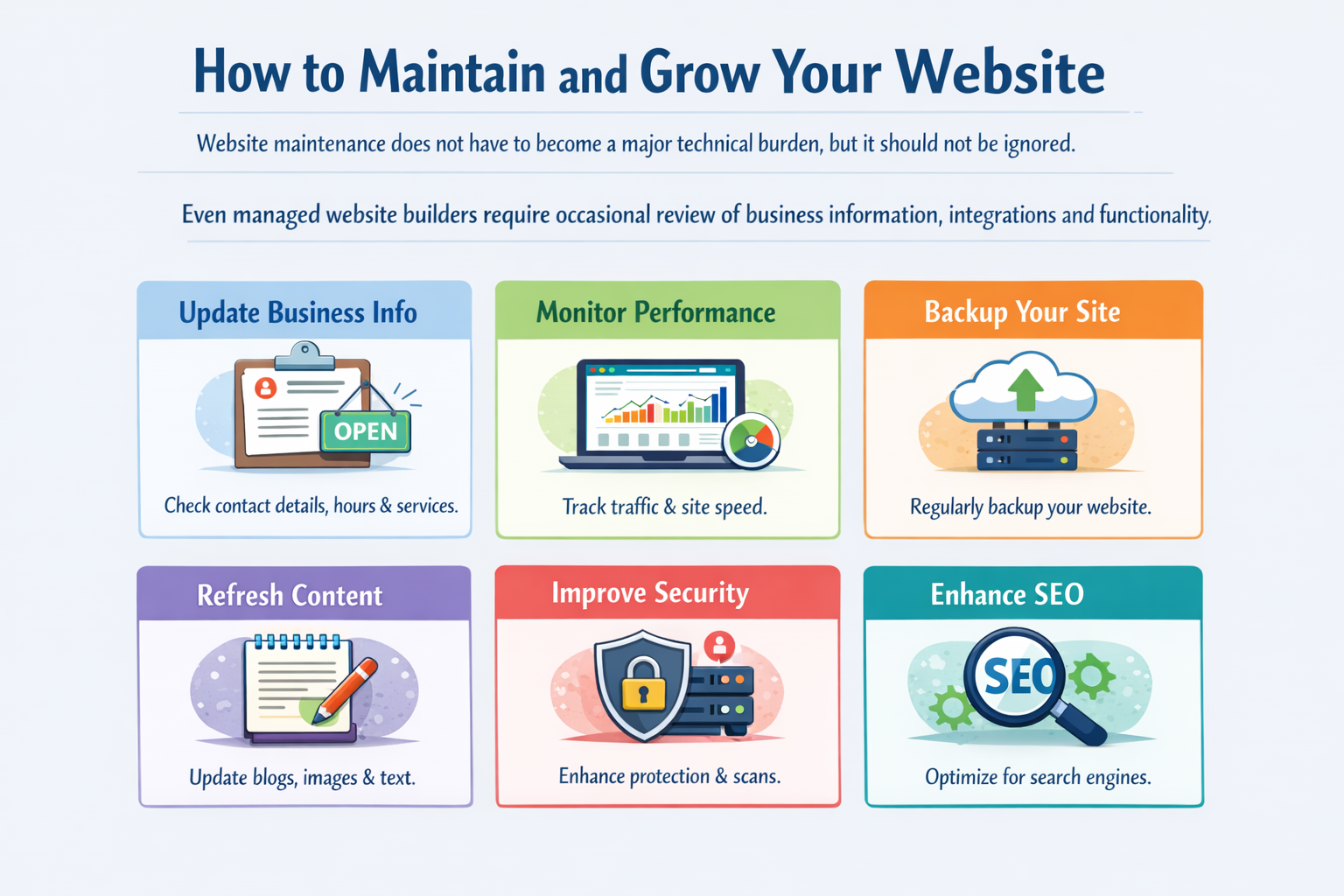
Website maintenance does not have to become a major technical burden, but it should not be ignored.
Even managed website builders require occasional review of business information, integrations and functionality.
Monthly maintenance checklist
- Review important business details and service information.
- Test contact forms and booking functions.
- Check mobile appearance and loading performance.
- Review relevant traffic and enquiry data.
- Update outdated content.
- Inspect important account and security notifications.
- Confirm subscription and domain renewal arrangements.
For self-hosted websites, also confirm that appropriate software updates, backups and security checks are being performed.
Focus on meaningful business metrics
Visitor numbers are useful, but they do not tell the complete story.
Consider a hypothetical website attracting 200 relevant visitors per month.
At a 2% enquiry conversion rate, that represents four enquiries.
At a 4% conversion rate, the same traffic produces eight enquiries.
These figures are illustrative, not predicted results. They demonstrate why improvements to usability, messaging and conversion pathways can be commercially important.
The strongest website strategy combines relevant traffic with an effective customer journey.
When Should You Hire a Professional Website Designer?
You do not necessarily need a professional developer to get online.
For a straightforward personal project or simple business website, a no-code platform may be entirely appropriate.
However, professional assistance becomes worth considering when:
- Your time is better spent serving customers than learning a new platform.
- Search visibility is a significant customer acquisition channel.
- Your business requires specialised booking, payment or software integrations.
- You need custom functionality or advanced automation.
- Your existing website attracts visitors but produces too few enquiries.
- Website security, performance or reliability is commercially important.
- You want ongoing assistance with improvements and maintenance.
DIY website versus professional website design
| Consideration | DIY no-code website | Professional website design |
|---|---|---|
| Initial cash expense | Often lower | Usually higher |
| Time investment | Owner handles setup and learning | More work delegated |
| Design flexibility | Depends on platform and plan | Can be tailored to requirements |
| SEO quality | Depends on implementation | Depends on provider capability and scope |
| Maintenance | Owner or platform manages it | Can be included in a service arrangement |
| Future expansion | Platform-dependent | Can be planned around business needs |
A professionally built website is not automatically faster, more secure or better ranked. Those outcomes depend on the actual implementation.
The decision should come down to total cost, required capabilities, available time and expected business value.
For guidance, read how to choose the right website design firm.
Website Design Support for Small Businesses in Tasmania and Australia
Client reviews
"Has seen my business grow daily..."
VanBlaisa Pty Ltd is an Australian technology and digital services company based in North West Tasmania.
We help businesses establish and improve their online presence through website design, search engine optimisation, digital marketing and ongoing website support.
Our approach focuses on practical outcomes: websites that communicate clearly, provide reliable customer experiences and make enquiries or transactions easier.
Whether you’re launching a new business in Devonport, Latrobe or Ulverstone, or operating elsewhere in Australia, an effective website should reflect your actual business needs.
If you’re unsure whether a DIY website is sufficient or a professional build would deliver better value, start by comparing your expected costs, technical requirements and growth plans.
You can explore our website design services for small businesses or review examples of our work in the VanBlaisa case studies.
Frequently Asked Questions
Can I build a website without any coding knowledge?
Yes. No-code website builders provide visual editing tools that allow beginners to create pages, add content and publish websites without manually writing code.
What is the easiest website builder for beginners?
Guided platforms such as SITE123 and Webador are worth evaluating for straightforward websites. Wix, Squarespace and WordPress.com offer other useful capabilities. The best choice depends on your goals and comfort with the editor.
Can I build a business website for free?
Yes, some platforms provide free website plans. However, they may have branding, domain and feature restrictions. A paid plan is commonly needed for certain professional business requirements.
Can a no-code website rank on Google?
Yes. Search engines do not require websites to be custom-coded. A no-code site can achieve organic visibility when it provides relevant content, sound technical foundations and a good user experience. Rankings are never guaranteed.
Can I create an online store without coding?
Yes. Several website builders support online stores, product management and payments. Confirm payment provider availability, transaction fees, shipping features and subscription costs before choosing a platform.
Do I need a domain name to launch a website?
Not necessarily. Some free plans provide a platform-branded web address. However, a custom domain generally provides more control over your business identity and makes it easier to establish consistent branding.
Is WordPress suitable for beginners?
WordPress can be suitable for beginners, particularly with managed hosting and visual page editing. Self-hosted WordPress usually requires more technical administration than a fully managed website builder.
How do I make my business website appear in local searches?
Use clear descriptions of your services and genuine service areas, create helpful website content, apply basic SEO and maintain accurate business information. Eligible businesses can also establish a Google Business Profile.
Will AI build an entire website for me?
AI-assisted website builders can generate layouts, draft text and suggest images or page structures. You should still verify business information, test functionality, review accessibility and confirm that the finished site meets your requirements.
How much should I spend on a small business website?
The appropriate budget depends on your business goals, required features and available time. Compare the full cost of ownership, including hosting, subscriptions, domain renewals, maintenance, content preparation and potential redevelopment.
Ready to Build a Website That Supports Your Business?
A website doesn’t need to be complicated to be effective.
Start with the right platform, useful content, straightforward navigation and a clear next step for your customers.
If you can confidently manage those elements yourself, a no-code website may be an excellent starting point.
If you’d prefer to concentrate on running your business while an experienced provider handles website planning, development and optimisation, VanBlaisa can help.
View previous projects: VanBlaisa Website Design Case Studies
Request a quote or website assessment: Contact VanBlaisa
Email: admin@vanblaisa.com
Phone: 0498 825 105
VanBlaisa Pty Ltd — Website Design, SEO and Digital Technology. North West Tasmania, Australia.
By Richard Monssen | VanBlaisa Pty Ltd